


What to Look for in a Fundraising CRM: Essential Features for Managing Donors and Donations
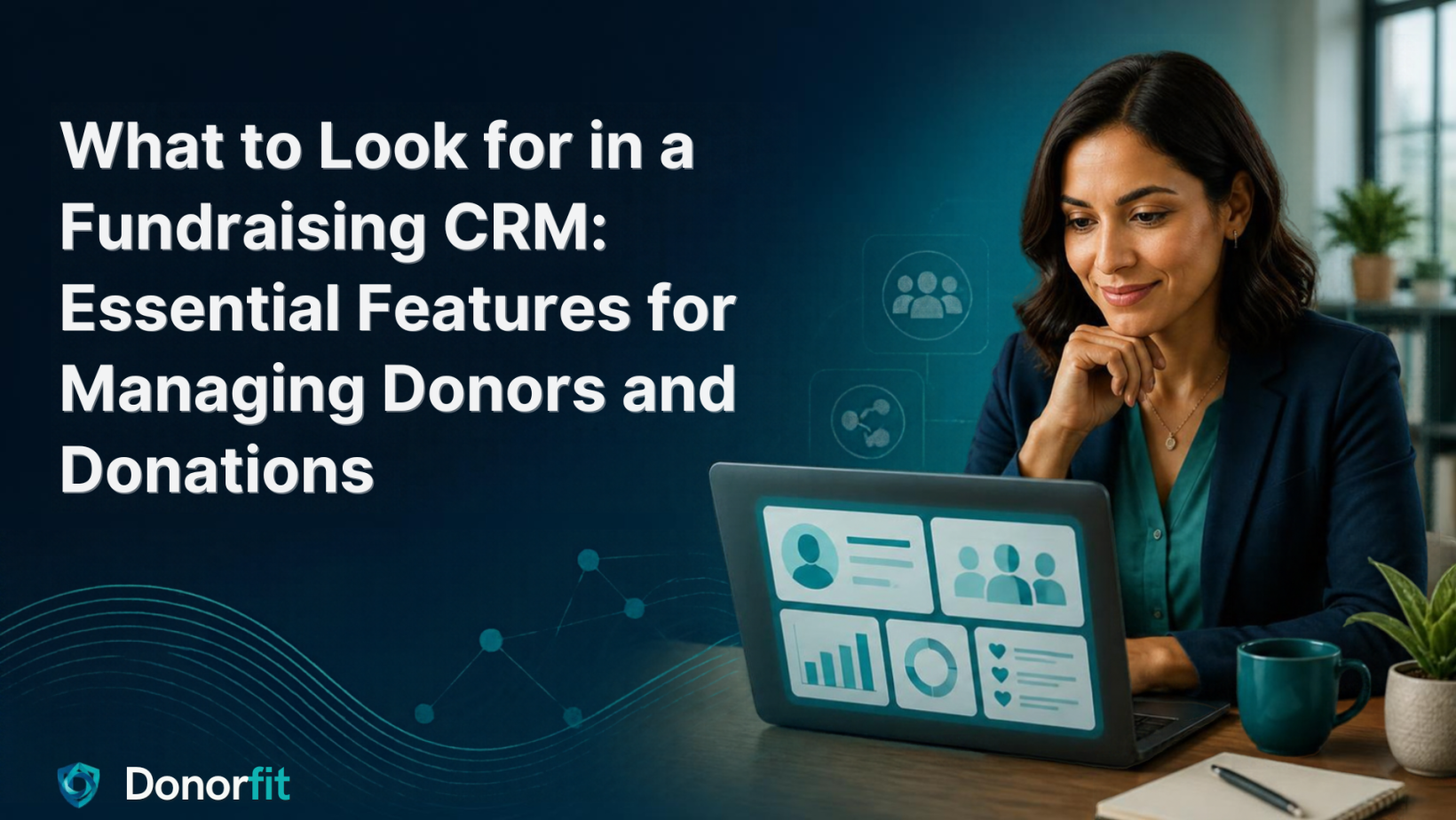
A fundraising CRM is the system a nonprofit uses to hold its donor records and track its donations in one place, and the features that matter are the ones that let a small team see a supporter’s whole relationship and manage contributions without switching between tools. Choosing one is harder than it should be, because almost every vendor presents a long feature list and almost none of those lists tell you which features you will actually use on a Tuesday. This guide is organised the other way around: not by what software can do, but by what managing donors and donations actually requires, and how to tell whether a given tool does it well.
A short word of framing first. The goal is not to find the CRM with the most features. It is to find the one whose core does the everyday work cleanly, and whose essentials match how your organisation really operates, including the parts specific to the DACH region that international tools routinely overlook.
Start with the problem the CRM is meant to solve
Before comparing features, it helps to name what a fundraising CRM is for: ending the scattered, manual record-keeping that costs small teams their time and their confidence in their own numbers. The problem is well documented across the sector. Omatic’s 2026 Nonprofit Technology Ecosystem Trends Report found 70 per cent of nonprofits now running five or more core platforms, up from 62 per cent a year earlier. CCS’s Philanthropy Pulse 2026 report found roughly a third of nonprofits naming data and CRM issues among their top challenges, about double the previous year’s share. These are general, largely US figures, so read them as context rather than a local measurement, but the pattern they describe is exactly what a good CRM exists to prevent: donor information spread across tools that do not agree, and staff spending more time assembling data than using it.
Keep that in mind as the test for every feature below. A feature earns its place if it reduces that scatter. If it adds another silo, it works against the entire reason you are buying a CRM.
The essential features, and what each one is really for
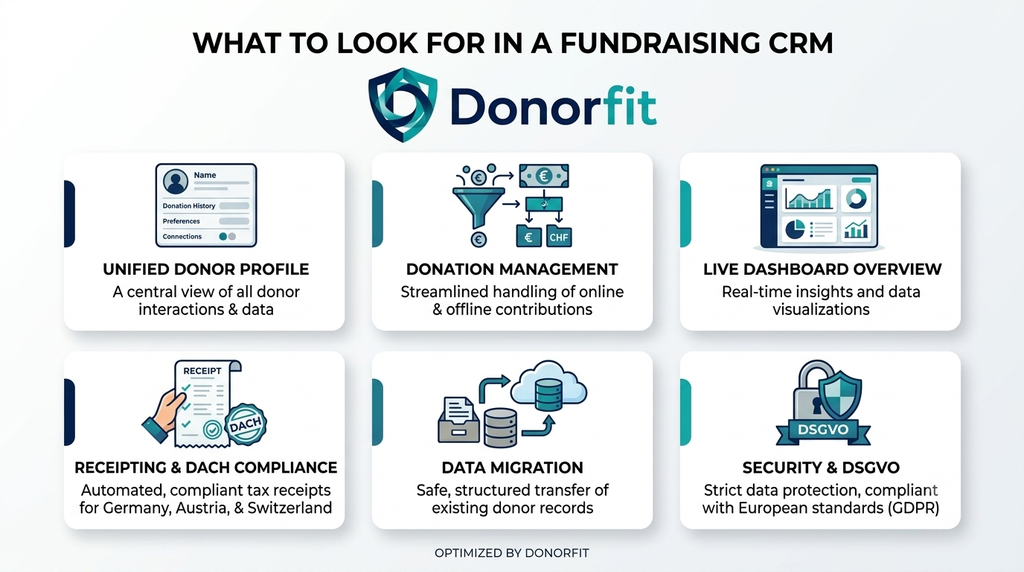
The core of any fundraising CRM comes down to a handful of capabilities, each answering a specific question a fundraiser asks constantly. Treat the list below as the things to verify in a trial, using your own data, not the vendor’s demo.
A unified donor profile with full history
The single most important feature is also the least glamorous: one record per supporter that holds everything about them, contact details, every gift, every communication, in one view. This is what lets anyone on the team answer “who is this person and what is our history with them?” in seconds rather than by opening four systems. When you evaluate, check whether the profile actually consolidates giving history automatically or whether someone has to assemble it. A profile that shows only the last gift, or that splits a person across duplicate records, is not really a profile.
Donation management that handles your real giving
A CRM has to record not just that money arrived, but what kind of gift it was: one-time or recurring, restricted or unrestricted, and tied to the right campaign or fund. The test here is whether the tool models the giving you actually receive. If your organisation runs membership, sponsorship, or restricted appeals, a CRM that treats every contribution as an identical “donation” will push the real structure into tags and spreadsheets. (We have written separately about why this flexibility matters across many giving types.)
A clear overview and dashboard
Beyond the individual record, the team needs to see the whole at a glance: total raised, active supporters, recurring income, what is trending. A dashboard is not decoration. It is how decisions get made with current numbers instead of a month-old export. Check that the overview reflects live data and the metrics your board actually asks about, rather than a fixed set you cannot change.
Receipting and DACH compliance
This is where international tools most often fall short for German-speaking organisations. A fundraising CRM used in the DACH region needs to handle donation receipts correctly, and the rules are not uniform: Germany’s Zuwendungsbestätigung (the official donation confirmation under §10b EStG and §50 EStDV) works differently from Austria’s electronic data reporting and Switzerland’s cantonally varying proofs. A CRM that automates receipting against the right national rules removes one of the sector’s heaviest annual burdens. One that offers a generic “receipt” template may leave you doing the compliance by hand. Confirm which jurisdictions a tool actually supports before assuming it fits.
Data import and migration
The feature everyone forgets until it blocks them: getting your existing data in. A CRM you cannot migrate to is a CRM you will not adopt. Check for genuine import of donors and historical giving, not just a blank system you have to rebuild. The ease of this single step often decides whether a good tool ever gets used.
Security and data protection
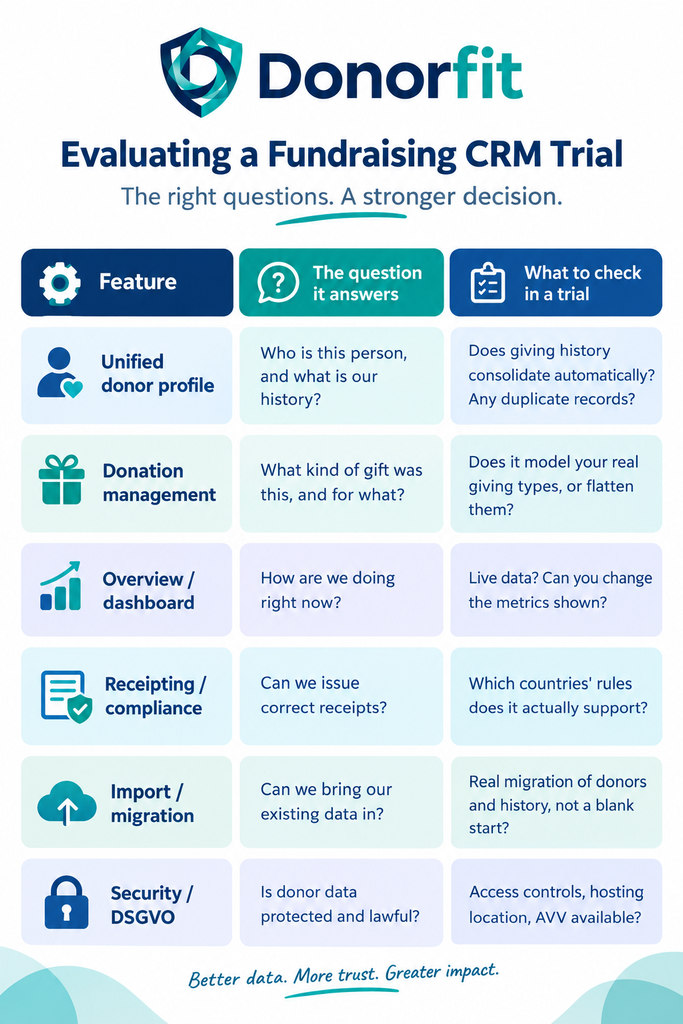
Donor data is personal data, and under the DSGVO that carries real obligations. Look for access controls, a clear account of where data is hosted, and the willingness to provide a data-processing agreement (Auftragsverarbeitungsvertrag, AVV). This matters more, not less, when the records include sensitive information such as details about sponsored children.
Features are not the same as fit
The longest feature list rarely belongs to the right CRM for a small team, because features you do not use are complexity you still have to carry. It is worth resisting the instinct to choose by counting capabilities. A tool crowded with modules your organisation will never touch is not more powerful for you; it is heavier. The better question is whether the essentials above are done well and whether the tool fits how you actually work, including your scale, your team’s time, and your region’s rules.
This is especially true for the DACH essentials. A feature-rich international platform that cannot issue a proper Zuwendungsbestätigung is, for a German charity, missing an essential while offering abundance you did not need. Fit beats breadth almost every time a small team is choosing.
How to actually evaluate, without losing six months
The reliable way to choose is to test candidates against your own data shapes rather than the vendor’s demo. Load a few real cases: a recurring donor with a changed address, a restricted gift, a donation above the receipt threshold, a supporter who gives across two campaigns. Watch whether each is a native, clean workflow or something you have to force. The tools that fit reveal themselves quickly. The ones that do not tend to look fine in a demo and show their cracks only months in, which is the most expensive time to discover them.
Related reading:
| Why Donor Engagement Determines Nonprofit Growth | https://donorfit.com/en/why-donor-engagement-determines-nonprofit-growth/ |
| Why Donor Engagement Stalls — and the Data Blind Spot Behind It | https://donorfit.com/en/why-donor-engagement-stalls-and-the-data-blind-spot-behind-it/ |
| From Scattered Spreadsheets to One Donor Record: A Migration Playbook | https://donorfit.com/en/from-scattered-spreadsheets-to-one-donor-record-a-migration-playbook/ |
| DonorFit vs FundraisingBox: Which Fits a DACH Islamic Charity? | https://donorfit.com/en/donorfit-vs-fundraisingbox-which-fits-a-dach-islamic-charity/ |
| One Cause, Many Kinds of Giving: What Flexible Fundraising Software Actually Means | https://donorfit.com/en/donorfit-vs-fundraisingbox-which-fits-a-dach-islamic-charity/ |
Frequently asked questions
What is a fundraising CRM? It is software that stores a nonprofit’s donor records and tracks donations in one place, so a team can see each supporter’s full relationship, manage contributions, and report on fundraising without juggling separate tools.
What are the most essential fundraising CRM features? A unified donor profile with full giving history, donation management that reflects your real giving types, a clear overview or dashboard, correct receipting for your country, straightforward data import, and DSGVO-grade security. Most other features are useful only if these are solid.
What should a DACH nonprofit check that others might not? Donation-receipt handling for the specific country (Germany’s Zuwendungsbestätigung, Austria’s data reporting, Switzerland’s cantonal proofs), SEPA and local payment support, where donor data is hosted, and whether the vendor provides an AVV. International tools often miss these.
Is more features always better in a CRM? No. Features you do not use add complexity rather than value. For a small team, a tool that does the essentials well and fits your region and scale usually beats a larger one with a longer list.
How do we evaluate a fundraising CRM fairly? Test it against your own data, not the demo. Load real cases, a recurring donor, a restricted gift, a receipt-threshold donation, and see whether each is a clean native workflow. Fit shows up in your data, not in a feature comparison.
The part worth keeping
The right fundraising CRM is not the one that can do the most. It is the one that quietly does the few things a fundraising team does every day, holding each donor as a whole person, recording each gift as what it really was, and giving the team back the hours they currently spend assembling a picture that should already be there. Everything else on a feature list is secondary to that, and for a small team in the DACH region, the essentials that international tools skip are often the ones that matter most.
If you are evaluating a fundraising CRM for a DACH organisation, Donorfit is built around these essentials: one unified donor profile with full giving history, donation management across your real giving types, a clear overview, and receipting built for DACH requirements, on DSGVO-grade infrastructure. It is worth testing against your own data alongside any tool on your shortlist.
This article is general information for nonprofit teams evaluating software, not tax, legal, or procurement advice. Donation-receipt and data-protection rules differ by country; confirm your organisation’s specific obligations with a qualified adviser.