







From Scattered Spreadsheets to One Donor Record: A Migration Playbook
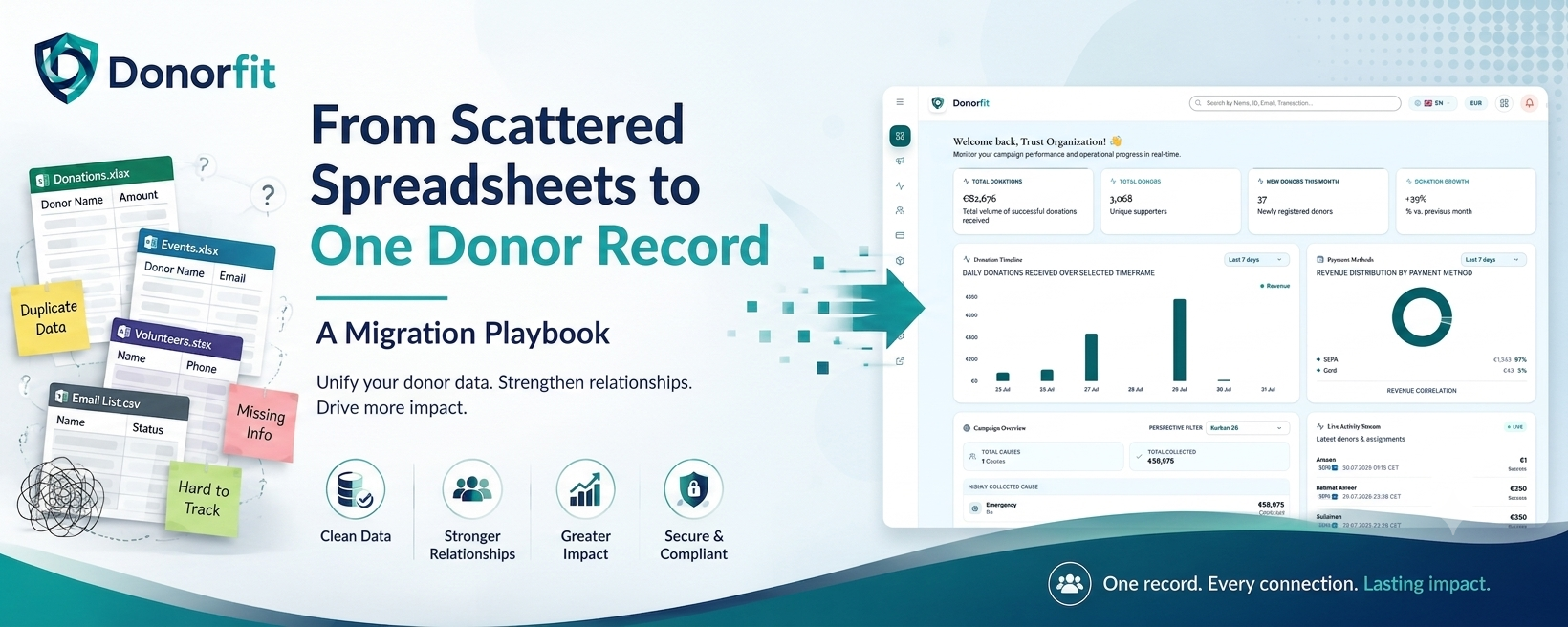
Most small fundraising teams don’t decide to run their donor data across four spreadsheets. It just happens. One sheet for the year-end appeal, one the events volunteer keeps, one export from the payment provider, one someone started during Ramadan and never merged back. Each is right about something and wrong about everything else.
The cost shows up the day you try to answer a simple question: what’s the full history of this one donor? You can’t, because the answer is spread across four files that don’t agree on her name, her email, or how much she’s given.
This is a playbook for pulling all of that into one donor record without losing your history or your weekend.
What is a 360-degree donor record?
A 360-degree donor record is a single profile that holds everything about one donor in one place: every gift, the campaigns they gave to, their receipts, their contact details, and their communication history. Instead of piecing a donor together from several files, you open one record and see the whole relationship.
That single view is the actual goal of the migration. The clean data is the means. The point is being able to look at one person and know what they’ve done and what to say to them next.
Why scattered spreadsheets quietly cost you money
Split data doesn’t just annoy you. It loses gifts.
You thank the same donor twice and miss another entirely. You send a lapsed-donor appeal to someone who gave last week, because that gift lives in a sheet you didn’t check. You can’t see that a €50 monthly donor has now given €1,800 over three years, so you never make the ask that reflects the relationship. Every one of those is revenue walking out the door because the record was in pieces.
The migration playbook
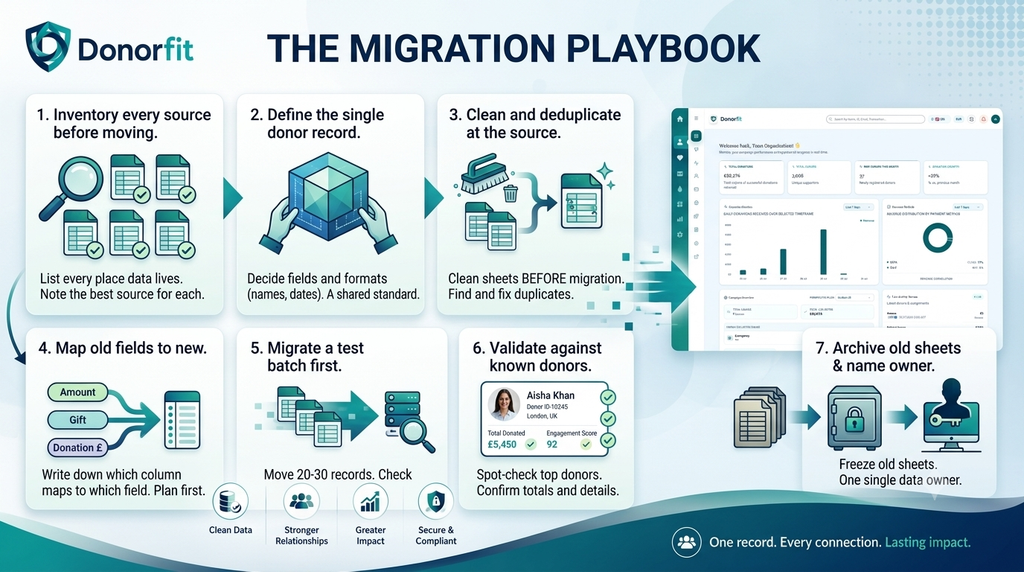
Step 1: Inventory every source before you move anything. List every place donor data currently lives. Spreadsheets, the payment provider export, the email tool’s contact list, that one Google Form. For each, note what it’s the best source for. The events sheet might have the cleanest phone numbers. The provider export has the most accurate gift amounts. You want to know this before you merge, because merging blindly means the worst version of a field can overwrite the best one.
Step 2: Define the one record you’re building toward. Decide the fields your single donor record will hold, and what “good” looks like for each. One format for names, one for dates, one for phone numbers. Decide what’s required and what’s optional. This is the target everything else gets shaped to fit. Skip it, and you’ll migrate four different date formats into one column and inherit the mess you were trying to escape.
Step 3: Clean and deduplicate at the source. Do the cleaning in the spreadsheets, before migration, not after. Find duplicate donors (same person, three spellings), standardise names and dates, fix obvious errors. Deduplication is the hardest part and the part worth the most, because a duplicate donor in your new system is a donor you’ll thank twice and understand half as well.
Step 4: Map old fields to new. Write down which column in each old sheet becomes which field in the new record. “Amount,” “Gift,” and “Donation £” across three sheets all map to one field. Do this on paper first. A clear map is what turns migration from guesswork into a mechanical step.
Step 5: Migrate a test batch first. Move 20 or 30 records, not all of them. Pick donors you know well, including a couple of messy ones. Check that their full giving history landed correctly and nothing got dropped or doubled. Fix the mapping, then run the rest. Finding a problem at 30 records is a small correction. Finding it at 3,000 is a rebuild.
Step 6: Validate against donors you know. After the full migration, spot-check. Take your top ten donors and confirm each record shows the right lifetime total, the right campaigns, the right contact details. If your biggest donor’s history is right, your system is trustworthy. If it’s wrong, you’ve caught it before it cost you.
Step 7: Archive the old sheets and name a single owner. Once the new record is validated, freeze the spreadsheets. Rename them, move them somewhere read-only, and stop editing them. The migration only holds if there’s one place data goes from now on. Name one person who owns the donor record. Scattered data usually starts the day two people begin keeping their own version.
The most common migration mistakes
- Migrating junk. If a field is garbage in the spreadsheet, it’s garbage in the new system. Clean first.
- Losing giving history. Contact details are easy to move. Full gift history is where migrations quietly drop data. Validate it specifically.
- No single owner afterwards. Without one owner, you’ll be back to four spreadsheets within a year.
- Doing it all at once. The test batch exists so your mistakes stay small.
FAQ
What is a 360-degree donor record? A single profile that holds all of a donor’s information in one place, including every gift, the campaigns they supported, their receipts, and their contact and communication history.
How do you consolidate donor data from multiple spreadsheets? Inventory every source, define the single record you’re building toward, clean and deduplicate the data before moving it, map old fields to new, migrate a small test batch first, validate against donors you know, then archive the old files and assign one owner.
What is the hardest part of a donor data migration? Deduplication. The same donor often appears in several files under slightly different names or emails, and merging them correctly is what determines whether your new records are trustworthy.
How do you avoid losing giving history during migration? Migrate a small test batch first and check that each donor’s full gift history transferred correctly, then validate your top donors’ lifetime totals after the full migration before archiving the source files.